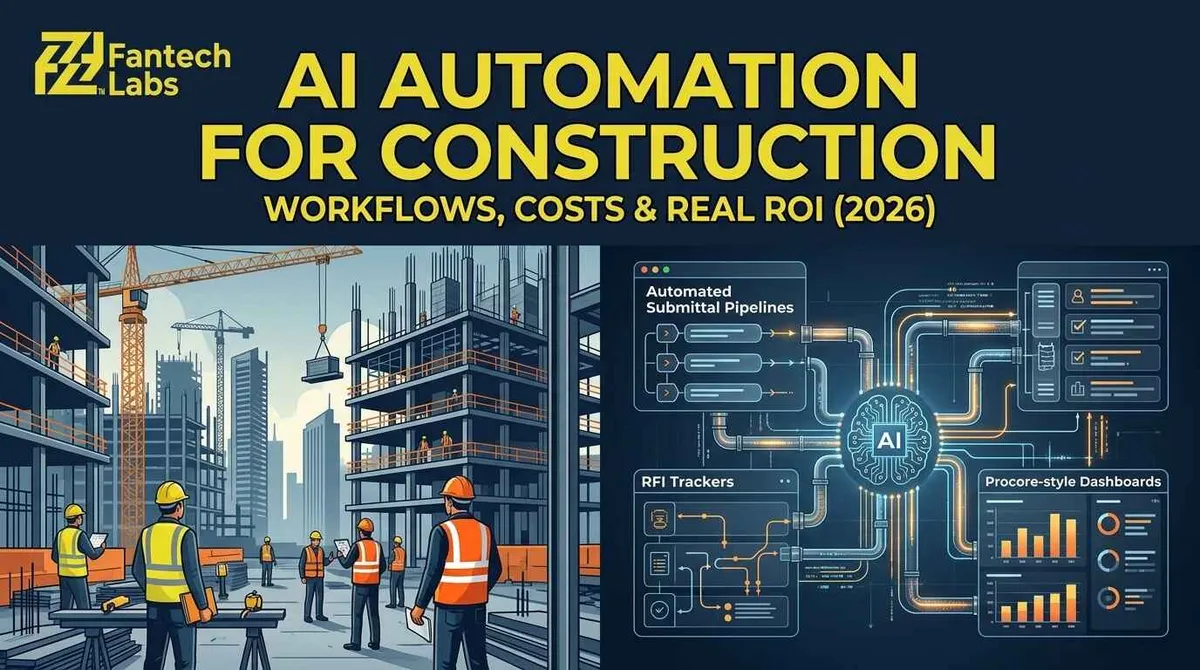
AI Automation Services for Construction Companies in the US and Canada: Workflows, Costs and ROI
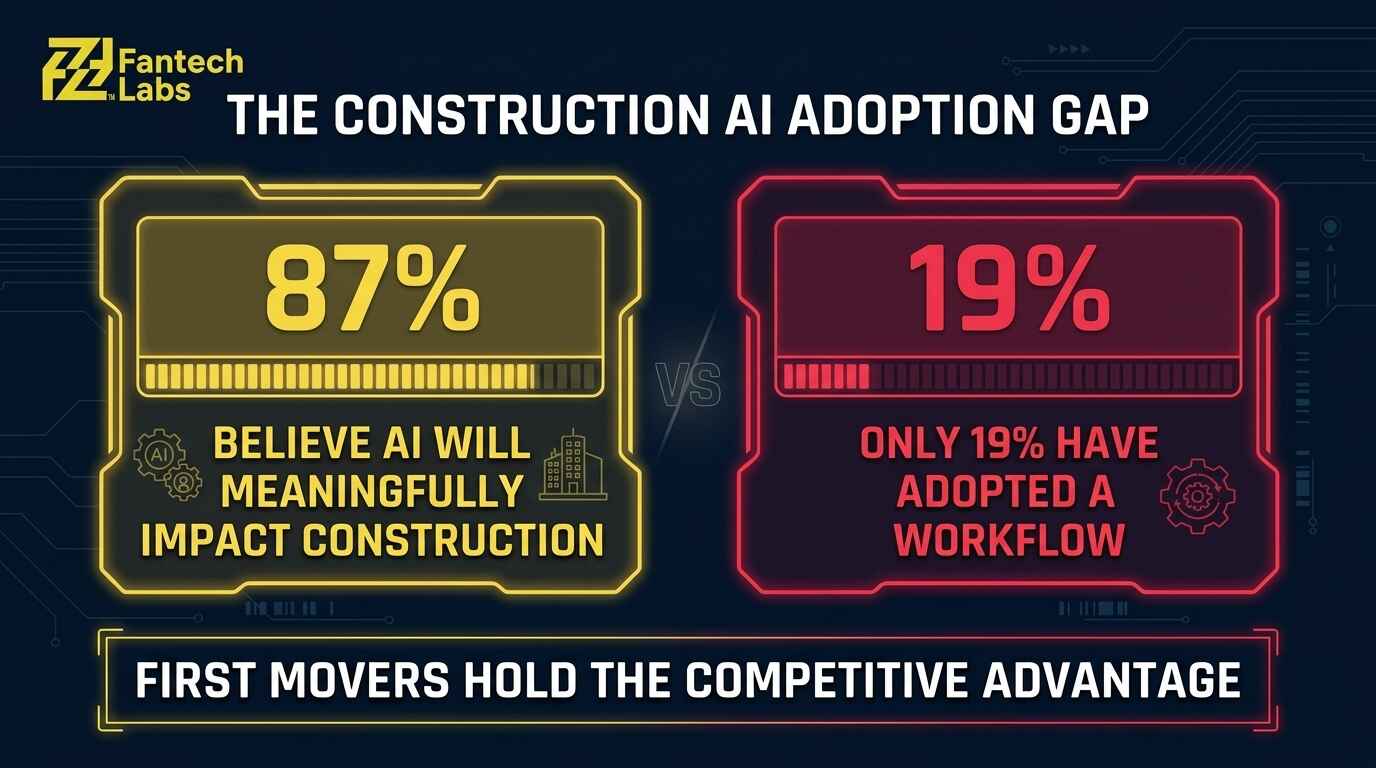
AI automation services for construction companies connect the software your team already uses, such as Procore, Buildertrend or Autodesk Construction Cloud, and remove the manual steps between them. The best first targets are submittals, RFIs, subcontractor paperwork, daily reports and estimate checks. At Fantech Labs, a single workflow typically costs $4,000 to $10,000 to build, and a three-workflow starter package runs $15,000 to $30,000. Most contractors already expect AI to matter. In a Dodge Construction Network and CMiC survey of 235 US contractors, 87% said it would meaningfully affect construction, yet only 19% had adapted a workflow for it.
KEY TAKEAWAYS
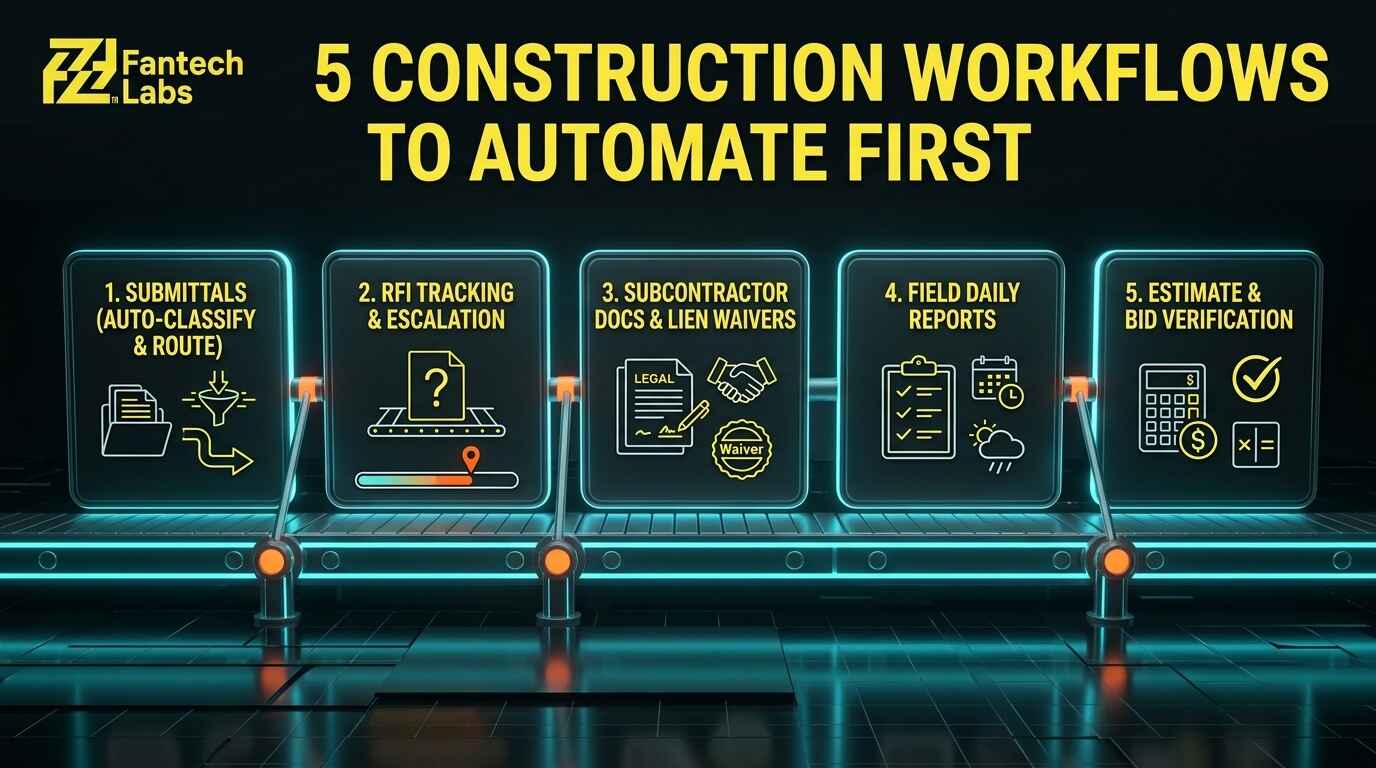
- Five workflows pay back fastest: submittal management, RFI tracking, subcontractor document collection, daily reporting and estimate verification.
- The Dodge and CMiC survey found a wide gap between belief (87%) and action (19%). Firms that move now are competing against a mostly undecided field.
- In Bluebeam's 2026 survey of AEC professionals, 68% of AI adopters had saved at least $50,000 and 46% had saved 500 to 1,000 hours.
- Budget $4,000 to $10,000 for one workflow, $15,000 to $30,000 for three, and $35,000 to $80,000 for full project lifecycle automation.
- US and Canadian builds differ. Canadian work turns on holdback and prompt payment rules, US work on Davis-Bacon payroll and state lien law.
WHAT AI AUTOMATION SERVICES FOR CONSTRUCTION COMPANIES ACTUALLY INCLUDE
Construction automation is not a box of software you install. It is a set of workflows built around how your projects actually run. A construction workflow automation company maps the path from bid to closeout, finds the tasks that repeat the same way every time, and builds automations on top of your existing project management platform.
The automation handles logging, routing, reminding and formatting. Your people still make the calls. A project manager decides whether a submittal meets the spec. An estimator decides whether a number is right. What disappears is the Tuesday afternoon spent copying details from an email into a tracker.
Some of this is AI in the strict sense, such as reading a submittal and sorting it by spec section. Some is plain integration logic. A good provider tells you which is which, because plain logic is often cheaper and more reliable.
WHY CONTRACTORS IN THE US AND CANADA ARE HIRING AUTOMATION HELP IN 2026
Construction runs on information, and much of it is wasted. Autodesk and FMI surveyed more than 3,900 professionals and estimated that bad data cost the global industry $1.85 trillion in 2020, including $88.69 billion in rework. Earlier FMI research found that 96% of data captured in engineering and construction goes unused. A Suffolk and MIT report covered in September 2026 puts cost overruns at 75% of projects.
Adoption is moving, but unevenly. ServiceTitan's 2026 report found that 38% of commercial specialty contractors now see measurable business impact from AI, up from 17% in 2025, with cost estimation and bid management leading. The Dodge and CMiC survey adds a warning: only 26% of contractors rate their own data quality as high. Automation only works on clean inputs, so a good provider checks that first.
Analysts expect the market to keep growing. Fortune Business Insights projects global AI in construction spending to rise from $4.86 billion in 2025 to $35.53 billion by 2034, with North America holding the largest share. Forecasts differ by firm, so read them as direction, not precision.
THE FIVE CONSTRUCTION WORKFLOWS TO AUTOMATE FIRST
1. Submittal management
Shop drawings, material data and test reports pile up in inboxes and shared drives. An automation reads incoming documents, classifies them by type and spec section, routes them to the right reviewer, sets due dates and tells the sender when review is done. The project manager still reviews the content. The system handles everything around it.
2. RFI tracking and escalation
An RFI that sits four days in an inbox can hold a crew idle and push a milestone. The problem is rarely neglect. Nobody is tracking what was asked, who owes the answer and how long it has been open. An RFI automation logs each request when it is created, assigns it by discipline or spec section, sends escalation reminders and flags overdue items to the project manager.
3. Subcontractor documents
A commercial project can involve 15 to 30 subcontractors, each with its own habits. Insurance certificates, lien waivers and safety plans become a full-time chase at that scale. An automation sends standard requests at the right point in the schedule, tracks what has arrived, reminds late subs and alerts the administrator when someone goes quiet. A week of collecting often shrinks to a day or two.
4. Daily reports
Daily reports record what happened, track labor and equipment, and give you a contemporaneous record if a delay claim arrives. A manual report takes 30 to 60 minutes, and a superintendent running three scopes rarely has that time. An automation pulls weather, imports labor counts from your time tracking system, gives the superintendent a short field form, then formats, distributes and files the report.
5. Estimate verification
ServiceTitan's data shows estimating is one of the two areas where contractors report the clearest AI results, alongside bid management. An automation compares draft line items with your historical project data, flags unit costs outside the expected range for the project type and region, and highlights scope items your firm has underpriced before. It does not replace the estimator. It catches the outlier before the bid goes out.
WHAT THE TIME SAVINGS LOOK LIKE
Savings depend on your baseline, so treat these as planning ranges, not promises.
| Workflow | What the automation handles | Planning range per week |
|---|---|---|
| Submittals | Receiving, classifying, routing and logging | 4 to 8 hours per project manager |
| RFIs | Logging, assigning owners, reminders, overdue flags | 3 to 6 hours per project manager |
| Subcontractor communication | Status requests, document chase, lien waiver collection | 3 to 5 hours per project manager |
| Daily reporting | Pulling field data, formatting, distributing | 2 to 4 hours per superintendent |
| Estimate verification | Comparing line items with history, flagging outliers | 2 to 4 hours per estimator |
| Change orders | Drafting from field notes, routing approval, updating budget | 2 to 4 hours per project manager |
Public examples show the scale is real. Skanska reported saving up to 40 hours a week on its Kaye tower project in Seattle, where robots captured 360-degree site imagery and an AI model compared it with the plans. That is a different workflow from the five above, but the pattern holds: hand a repeated manual task to a system and the hours add up fast.
Before you build anything, measure the baseline. Ask two project managers to log how long submittals, RFIs and subcontractor chasing take for two weeks. Those numbers become your before picture, and they keep the later ROI conversation honest. Without them, every saving is a guess and every vendor claim sounds equally believable.
WHAT IT COSTS TO HIRE A CONSTRUCTION AUTOMATION COMPANY
Typical Fantech Labs ranges by engagement type:
| Engagement | What is included | Typical cost |
|---|---|---|
| Workflow audit and scoping | Process mapping, roadmap, ROI estimate | $0 to $3,000 |
| Single workflow build | One end-to-end process, such as submittal tracking | $4,000 to $10,000 one time |
| Starter package (3 workflows) | Discovery, build, testing, documentation, training | $15,000 to $30,000 one time |
| Full project lifecycle automation | 6 to 8 workflows, Procore or Autodesk Construction Cloud integration | $35,000 to $80,000 one time |
| Monthly managed service | Monitoring, optimization, support, new builds | $2,000 to $6,000 per month |
| Enterprise retainer | Dedicated team, strategy, multi-project rollout | $5,000 to $15,000 per month |
Now the math. Say five project managers each recover eight hours a week. That is 2,080 hours a year, worth $166,400 to $249,600 at an all-in cost of $80 to $120 per hour. If only half of those hours become real capacity, a $30,000 starter package still pays back in roughly three to five months. Stay cautious about longer promises, though. Some published reviews say broader AI programs take two to four years to show full ROI, so measure your own baseline before anyone quotes you a multiple.
US VS CANADA: WHAT CHANGES IN THE BUILD
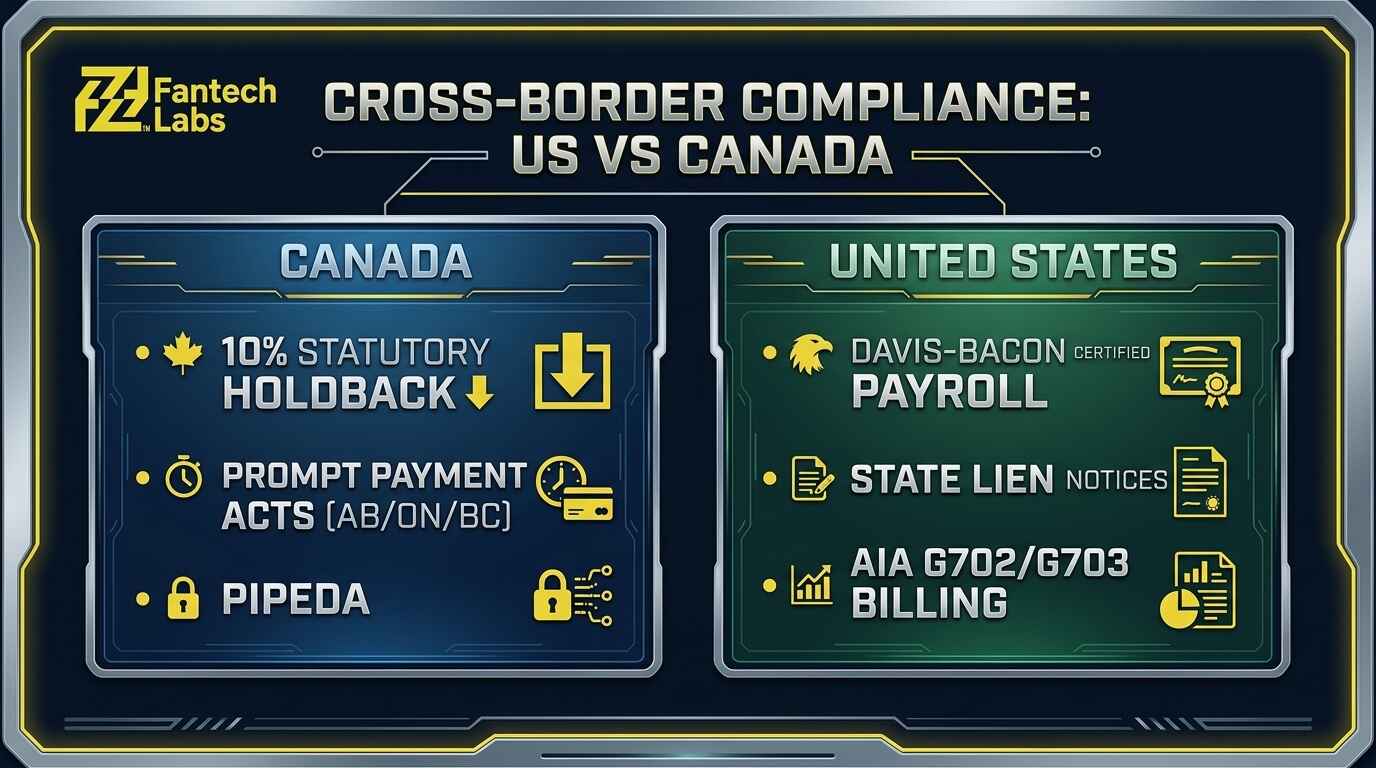
The same workflow needs different logic on either side of the border.
| Factor | United States | Canada |
|---|---|---|
| Common platforms | Procore, Autodesk Construction Cloud, Buildertrend | Procore, Buildertrend, Jonas Construction |
| Contracts and specs | AIA documents, CSI MasterFormat | CCDC contracts, National Master Specification |
| Safety rules | OSHA, state programs | Ontario OHSA, WorkSafeBC, Alberta OHS |
| Payment security | State mechanics lien laws | Provincial holdback and lien statutes |
| Payroll documents | Davis-Bacon weekly certified payroll on federal work | Varies by contract and province |
Holdback is the big variable in Canada. Ontario, Alberta and British Columbia all use a 10% statutory holdback, but the surrounding rules differ. Ontario's Construction Act amendments effective January 1, 2026 require annual release of holdback funds, and Alberta's Prompt Payment and Construction Lien Act has governed new contracts since August 29, 2022. In the US, state lien law sets the timing of preliminary notices, waivers and conditional releases.
A team without Canadian experience will build compliance gaps into a Calgary or Toronto project. The reverse holds for a firm that has never handled certified payroll.
HOW TO CHOOSE A CONSTRUCTION AUTOMATION COMPANY
You are picking a technical partner, not a software licence. Use this checklist:
| Factor | What good looks like | Red flag |
|---|---|---|
| Construction experience | Built for general contractors, specialty contractors or developers | Generic case studies, no AEC references |
| Platform experience | Has worked inside Procore, Buildertrend or Autodesk Construction Cloud | Never integrated with your platform |
| Discovery | Maps your process before any proposal | Demo before anyone asks how you work |
| Compliance | Raises OSHA, provincial safety or lien law early | No mention of compliance |
| Tool neutrality | Recommends based on your stack | Pushes a proprietary platform |
| Support | Named contact, defined response times | Hands over the system and disappears |
| Pricing | Itemized by workflow | Lump sum, no breakdown |
| Ownership | You hold workflows, credentials and access | Agency keeps control |
Fantech Labs starts every construction engagement with a workflow audit. We map your process from estimating to closeout, find the pattern-driven admin work, and quantify the return before recommending a build. We scope before we build, and we support what we ship. You can read more about our AI integration services in Calgary.
A 90-DAY ROLLOUT PLAN
Succeeding firms add one workflow at a time.
Days 1 to 30: audit and first build. Map your delivery process on paper. Pick the task your project managers complain about most, the one that eats hours and follows a steady pattern. Build it, then measure time before and after.
Days 31 to 60: layer and measure. Add a second automation and connect it to the first wherever they share data. Fix the edge cases the first build missed.
Days 61 to 90: expand and trim. Add a third workflow, often subcontractor communication or daily reporting. Cut anything that is not saving the time you expected. Show leadership the hours saved per manager, on-time compliance documents and RFI response times, then plan phase two against that data.
FREQUENTLY ASKED QUESTIONS
Which AI automation services do construction companies need first?
Start with submittal management, RFI tracking, subcontractor document collection, daily reporting and estimate verification. These are where project manager and superintendent time goes to repetitive, pattern-driven work. Pick the one your team complains about most and prove it before adding more.
How much does it cost to hire an AI automation company for a construction firm?
At Fantech Labs, a single workflow runs $4,000 to $10,000, a three-workflow starter package $15,000 to $30,000, and full project lifecycle automation $35,000 to $80,000. Managed service runs $2,000 to $6,000 per month. Ask any provider for itemized pricing by workflow.
How long does it take to implement construction automation?
A single workflow usually takes 2 to 4 weeks from discovery to go-live. A three-workflow package takes 4 to 8 weeks, and a full lifecycle system with deep Procore or Autodesk Construction Cloud integration takes 8 to 16 weeks. Fantech Labs sets a fixed delivery timeline at scoping.
Why do so few contractors use AI if most expect it to matter?
Firms often do not know where to start, integration takes technical skill most lack in house, and construction culture favors proven methods. Data quality is another barrier, since only 26% of contractors rate theirs as high. A workflow audit with a scoped ROI estimate addresses all of these before money is spent.
Will AI automation replace project managers or superintendents?
No. Automation takes over logging, routing, reminders and reporting. People still judge submittals, resolve RFIs with design teams, manage subcontractors, direct field operations and make safety and production calls.
SUMMARY
Construction automation works best when it is narrow, measured and built on the platforms you already use. Start with one workflow, prove the hours saved, then add the next. Choose a partner who understands both your software and your jurisdiction, and who scopes before building.
WHY TRUST FANTECH LABS
Fantech Labs is a Calgary-based AI automation and system integration company serving construction firms and general contractors across Canada and the United States. Every engagement starts with a workflow audit. We scope before we build, and we support what we ship. Statistics in this article come from Dodge Construction Network and CMiC, Bluebeam, ServiceTitan, Autodesk and FMI, Suffolk and MIT, and Fortune Business Insights.
DISCLAIMER
This article is for general information only and is not legal, financial or engineering advice. Prices, timelines and time savings are estimates that vary by scope, platform and starting workflow. Statistics come from third-party surveys with different samples, so confirm figures against the original source before relying on them. Holdback, lien and payroll rules change, so check current requirements with a construction lawyer in your jurisdiction.