Key Takeaways
- Most new businesses do not need Salesforce on day one. Salesforce is built for enterprise scale, compliance, and feature completeness. For a business under 20 people, those strengths are also its biggest drawbacks.
- Salesforce's starting price is $165 USD per user per month compared to Zoho CRM at $18 per user per month, and that gap widens significantly once add-ons, implementation, and admin costs are included.
- To keep Salesforce running smoothly, you need a full-time admin, which means a salary of at least $90,000 or a consulting bill that is just as large. Most new businesses cannot justify that overhead.
- Most small businesses end up paying between $20 and $50 CAD per user per month once they move past a free or trial tier, with enterprise platforms like Salesforce running considerably higher once add-ons and premium support enter the picture.
- HubSpot's free CRM is the strongest starting point for most Canadian new businesses: unlimited users, contact management, deal pipelines, and email tracking at no cost.
- The right time to evaluate Salesforce is when your team has 20 or more users in the CRM, your sales process has complex multi-stage pipelines that require enterprise reporting, or your business needs deep integration with other Salesforce cloud products.
- A company founded in Canada is not automatically PIPEDA-compliant. Many smaller CRMs store data on AWS US-East by default. Verify data residency before committing to any platform that handles customer personal information.
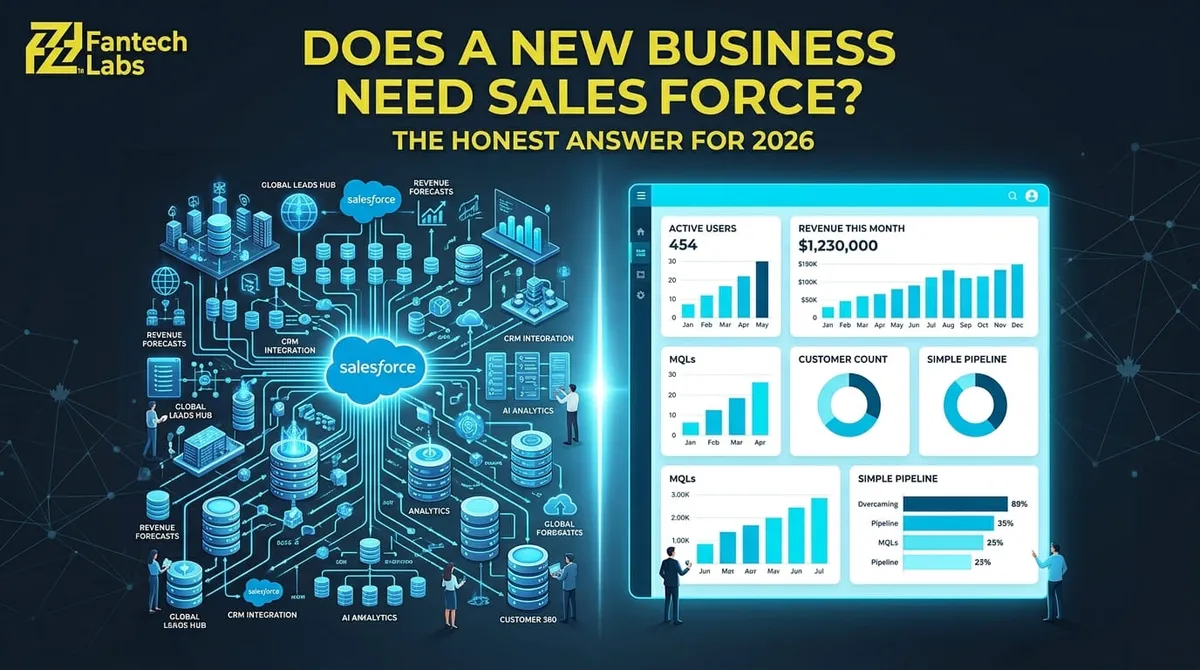
The Honest Answer: Does a New Business Need Salesforce?
Probably not yet. That is not a knock on Salesforce. It is a recognition that Salesforce is designed to solve problems that most new businesses do not have yet.
Salesforce is the market-leading CRM for a reason. It handles enterprise-scale sales pipelines, complex reporting hierarchies, regulatory compliance across multiple jurisdictions, and deep integration with hundreds of enterprise software platforms. For a business managing a 50-person sales team across multiple regions with complex approval workflows and revenue attribution requirements, Salesforce earns its cost.
For a business with 3 to 15 people trying to track leads, follow up with prospects, and close deals without losing anyone in a spreadsheet, Salesforce is often over-engineered, overpriced, and slower to deploy than the alternatives. Its steep learning curve and overall complexity make onboarding difficult, requiring more time and technical expertise than many organizations can spare.
This guide answers the question honestly: when does a new business need Salesforce, when does it not, and what should you use instead depending on where you are right now.
What Does Salesforce Actually Cost a Small Canadian Business in 2026?
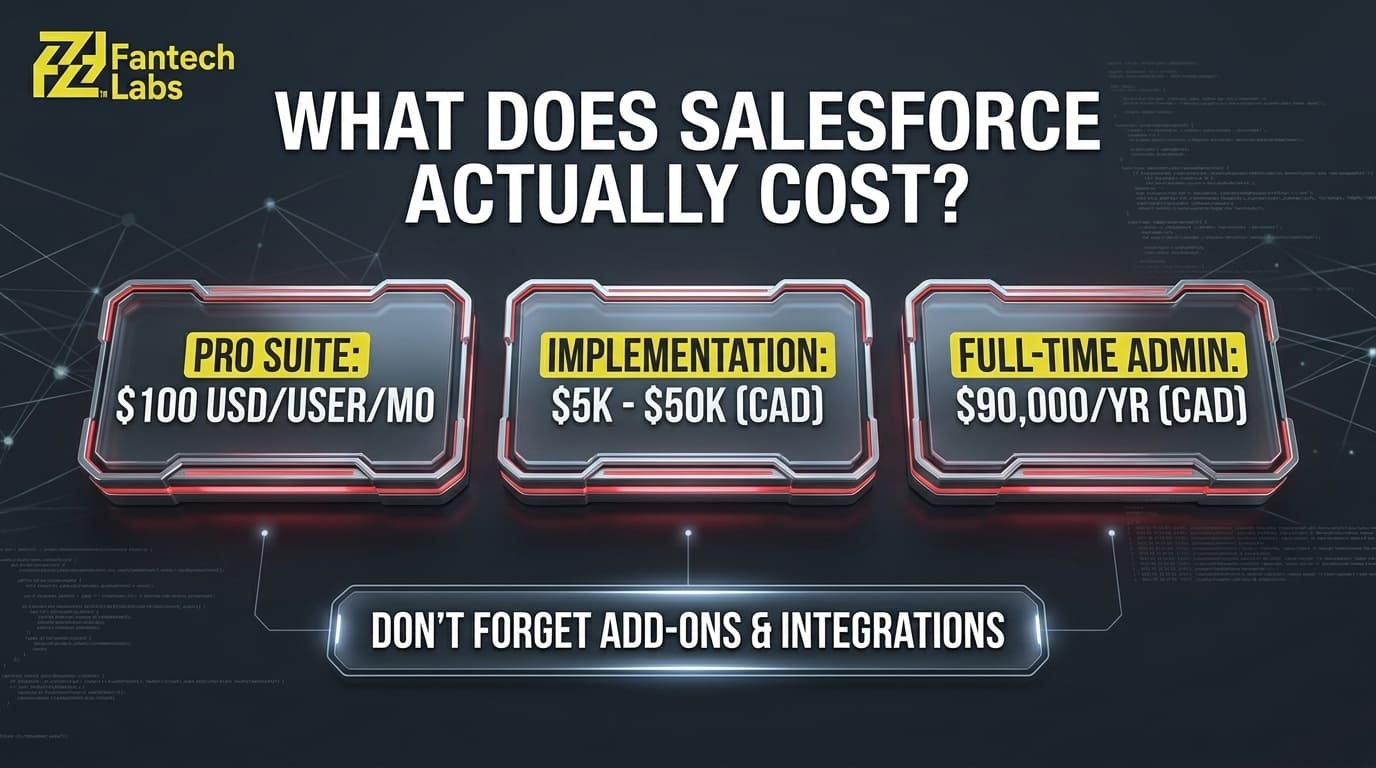
The number most people see when they look at Salesforce pricing is the per-user licence fee. That number is misleading because it is the smallest part of the total cost of ownership.
| Cost Component | Salesforce (Small Business Edition) | Notes |
|---|---|---|
| Salesforce Starter Suite | $35 USD/user/month | Basic features only, limited customization |
| Salesforce Pro Suite | $100 USD/user/month | Most new businesses land here |
| Salesforce Enterprise | $165 USD/user/month | Full feature set, API access |
| Implementation cost | $5,000 to $50,000+ | Required for any meaningful setup |
| Admin or consultant | $90,000/year salary or $150+/hour | Ongoing requirement |
| Add-ons (AI, Marketing Cloud, etc.) | $50 to $125/user/month each | Stack up fast |
| Annual total (5 users, Pro Suite) | Approximately $45,000 to $80,000 CAD | Year one including setup |
The starting price is not the biggest problem for small businesses with Salesforce. It is the problem with predictability. Add-ons, upgrades, and integrations add up quickly. A 5-person team that starts on Pro Suite at $100 USD per user per month is already at $6,000 USD per year in licences alone before a single integration is built or a single admin is hired.
Alternatives like Pipedrive at $140 per month or HubSpot deliver 85 to 100% savings for small teams. First-year savings typically range from $10,000 to $30,000 for small teams compared to a comparable Salesforce implementation.
When Does a New Business Actually Need Salesforce?
Salesforce becomes the right answer when the business has grown past the problems that simpler CRMs solve well. There are four specific situations where Salesforce is genuinely the right choice even for a relatively young company:
Your sales process is complex and multi-stage. If you have a 6-month enterprise sales cycle with multiple stakeholders, approval workflows, custom quote generation, and territory management, Salesforce's enterprise features justify their cost. A simple pipeline tool will not support that complexity reliably.
You are selling to enterprise clients who require Salesforce integration. Some large enterprise buyers require their vendors to have CRM systems that integrate directly with their own Salesforce instance for procurement or contract management purposes. If your target market demands this, it is a legitimate reason to adopt Salesforce earlier than you otherwise would.
You are building on the Salesforce ecosystem. If your product integrates with Salesforce, or if you plan to use Salesforce's AppExchange as a distribution channel, being on the platform yourself makes the development and sales process significantly easier.
You have 20 or more CRM users with complex reporting needs. At scale, Salesforce's reporting depth and customization options genuinely outperform simpler tools. The overhead cost of an admin becomes justifiable when spread across a large team.
What CRM Should a New Canadian Business Use Instead?
For most new Canadian businesses, the right CRM is not Salesforce. Here is how the alternatives compare across the situations most new business owners actually face:
| CRM | Best For | Starting Price (CAD approx.) | Free Tier | PIPEDA Notes |
|---|---|---|---|---|
| HubSpot | Most new businesses, all-in-one | $0 (free CRM) | Yes, unlimited users | Data can be stored in Canada on paid tiers |
| Pipedrive | Sales-focused teams, simple pipeline | $21/user/month | No | EU data centers, verify residency |
| Zoho CRM | Budget-conscious, high customization | $18/user/month | Yes, up to 3 users | Canadian data center available |
| GoHighLevel | Service businesses under 50 clients | $135/month flat | No | Verify data residency before committing |
| HubSpot Sales Hub | Growing teams needing automation | $20/user/month | Yes | Canadian residency on higher tiers |
| Salesforce Starter | Teams ready to scale to enterprise | $35/user/month USD | No | Canadian data center available |
HubSpot is the most direct competitor to Salesforce that is actually made for small businesses. There are no separate cloud purchases or module stacking. It handles sales, marketing, and customer service all from one platform. The free CRM is a great place to start, and the paid tiers make sense from there.
Start with team size, not feature count. A two-person consultancy and a forty-person sales floor are solving completely different problems. Smaller teams generally do better with simple, visual tools that take an afternoon to learn.
The 3-Stage CRM Framework for New Canadian Business Owners
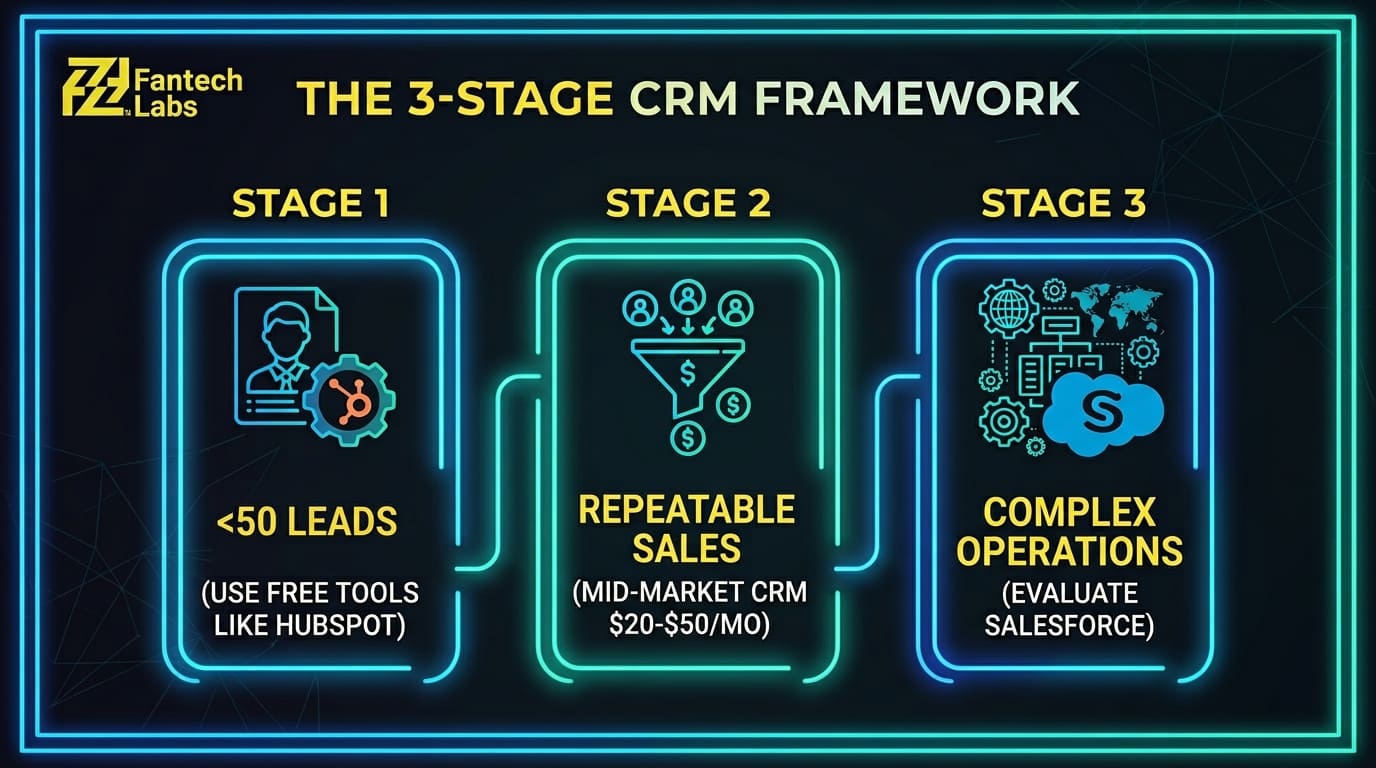
Most new businesses go through three distinct CRM stages. Understanding which stage you are in prevents you from paying for features you do not need yet or under-investing in a tool that cannot grow with you.
Stage 1: You Have Fewer Than 50 Active Leads (Use Free Tools)
At this stage, your CRM problem is a contact organization problem, not a pipeline management problem. You need somewhere to track who you have spoken to, what was said, and what the next step is. A spreadsheet technically works. HubSpot's free CRM works better because it tracks email opens, logs calls, and reminds you to follow up without requiring manual data entry.
The right tools at this stage cost $0 to $20 CAD per month and take less than a day to set up. Anything more complex than that is overhead you are not ready to use.
Stage 2: You Have a Repeatable Sales Process (Use a Paid CRM)
This is when your business has a defined sequence of steps that moves a prospect from first contact to closed deal, and you are doing it consistently enough that you need to track conversion rates and identify where deals are stalling. This is the stage where a pipeline view, automation triggers, and basic reporting add real value.
Tools in the $20 to $50 CAD per user per month range handle this stage well. HubSpot Sales Hub, Pipedrive, and Zoho CRM all operate in this range. At this stage, you are paying for the pipeline management and automation features, not for enterprise-level reporting or customization.
Stage 3: You Have Complex Sales Operations (Evaluate Salesforce)
This is when deal complexity, team size, reporting requirements, or integration demands have grown beyond what mid-market CRMs handle reliably. You have multiple sales reps with different territories, complex approval workflows, revenue attribution across multiple touchpoints, or enterprise buyer requirements that demand Salesforce compatibility.
At this point, Salesforce's total cost of ownership becomes justifiable relative to the operational cost of managing complex sales at scale in a less capable tool. This is typically when a business engages a certified Salesforce implementation partner to scope and build the configuration properly.
PIPEDA and CRM Selection: What Canadian New Business Owners Must Check
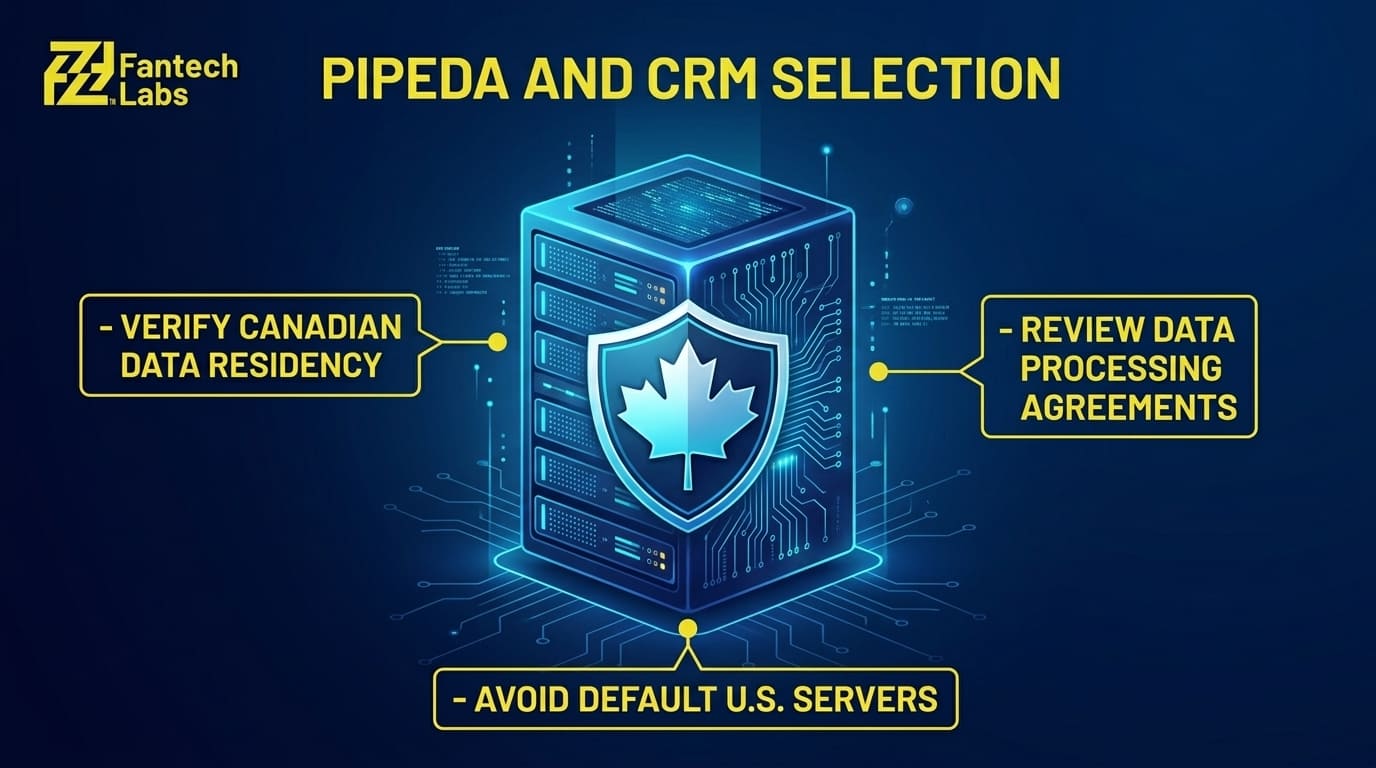
Choosing a CRM in Canada is not only a features and pricing decision. A company founded in Canada is not automatically PIPEDA-compliant. Many smaller CRMs store data on AWS US-East by default. If your CRM stores customer personal information, including names, email addresses, purchase history, or contact records, where that data is stored and how it is protected is a compliance question, not just a preference.
Before committing to any CRM platform, confirm the following:
Where is customer data physically stored? Most major CRMs offer Canadian or European data residency options on higher-tier plans. The default is often a U.S.-based server unless you specifically select otherwise.
Does the vendor publish a data processing agreement? Major platforms including HubSpot, Salesforce, and Zoho all publish DPAs that describe how they handle personal data. Request one and review it before signing a contract.
Does your industry impose additional requirements? Healthcare businesses handling patient data, legal firms handling client files, and financial services businesses handling account data may face stricter obligations than a general retail or service business using the same CRM platform.
Most mainstream CRMs used by Canadian businesses will support PIPEDA compliance with the right configuration. The risk is assuming compliance without verifying it, which is a common mistake among new business owners who are focused on features rather than data governance.
How Fantech Labs Helps Canadian Businesses Implement and Customize Salesforce
For businesses that have genuinely reached the stage where Salesforce is the right answer, implementation quality determines how well the platform performs. A poorly configured Salesforce instance is worse than a well-configured simple CRM because it is harder to fix, more expensive to maintain, and creates data quality problems that compound over time.
Fantech Labs implements, customizes, and manages Salesforce CRM for businesses across Canada. We scope every engagement with a process mapping session before any configuration begins, so the build reflects how your sales team actually works rather than how Salesforce works by default. We also integrate Salesforce with the other platforms your business runs, including ERP systems, marketing tools, and field operations software, so your CRM becomes the center of your commercial data rather than a silo alongside everything else.
For businesses that are not yet at the Salesforce stage, we can help identify the right CRM for your current needs, configure it properly, and plan a migration path to Salesforce when your operations grow into that level of complexity.
Frequently Asked Questions
Does a new business need Salesforce right away?
Most new businesses do not need Salesforce on day one. Salesforce is designed for enterprise-scale sales operations with complex pipelines, multi-user reporting hierarchies, and deep integration requirements. For a new business with fewer than 20 people and a straightforward sales process, the implementation cost, admin overhead, and learning curve of Salesforce typically outweigh its benefits. HubSpot's free CRM or Pipedrive in the $20 to $25 USD per user per month range handles most new business CRM requirements at a fraction of the cost.
How much does Salesforce cost for a small Canadian business in 2026?
The starting price is not the biggest problem for small businesses with Salesforce. It is the problem with predictability. The Starter Suite begins at $35 USD per user per month, but most small businesses need the Pro Suite at $100 USD per user per month to access the automation and integration features that justify using Salesforce over simpler tools. Add implementation costs of $5,000 to $50,000, ongoing admin or consulting fees, and add-on products, and a 5-person team can expect to spend $45,000 to $80,000 CAD in the first year of a proper Salesforce deployment.
What is the best CRM for a new Canadian business that is not ready for Salesforce?
HubSpot is the strongest starting point for most new Canadian businesses. The free CRM includes contact management, deal pipelines, and email tracking with no user limit. HubSpot's Breeze AI, available to all paid users in 2026, handles lead scoring, email generation, and deal summaries without the $50 to $125 per user fee that Salesforce charges for Agentforce. For service businesses with fewer than 50 active clients, GoHighLevel at approximately $135 CAD per month combines CRM, email marketing, SMS, booking, and AI content generation into one subscription.
When should a new business switch from a simple CRM to Salesforce?
The right time to evaluate Salesforce is when your team has grown to 20 or more CRM users, your sales process has complex multi-stage pipelines that require enterprise-level reporting and territory management, or your enterprise buyer requirements demand Salesforce compatibility. Three years into a simpler CRM, migration to Salesforce becomes a six-figure project requiring months of planning, as custom objects, automation rules, and integrations create switching costs that grow with every quarter you stay. Planning the migration path early, before you need it urgently, produces better outcomes than migrating under pressure.
Is Salesforce PIPEDA-compliant for Canadian businesses?
Salesforce offers Canadian data residency options and publishes a data processing agreement for Canadian customers. However, PIPEDA compliance depends on how the instance is configured, not just which platform you are on. A company using a platform founded in Canada is not automatically PIPEDA-compliant. Many CRMs store data on AWS US-East by default. Canadian businesses should confirm data residency settings, review the vendor's DPA, and consider their industry-specific obligations before committing to any CRM platform that handles customer personal information.
About Fantech Labs: Fantech Labs is a Calgary-based Salesforce implementation and IT services company serving businesses across Canada. We implement, customize, and integrate Salesforce for businesses that have grown into its complexity, and help earlier-stage businesses find and configure the right CRM for where they are now.